

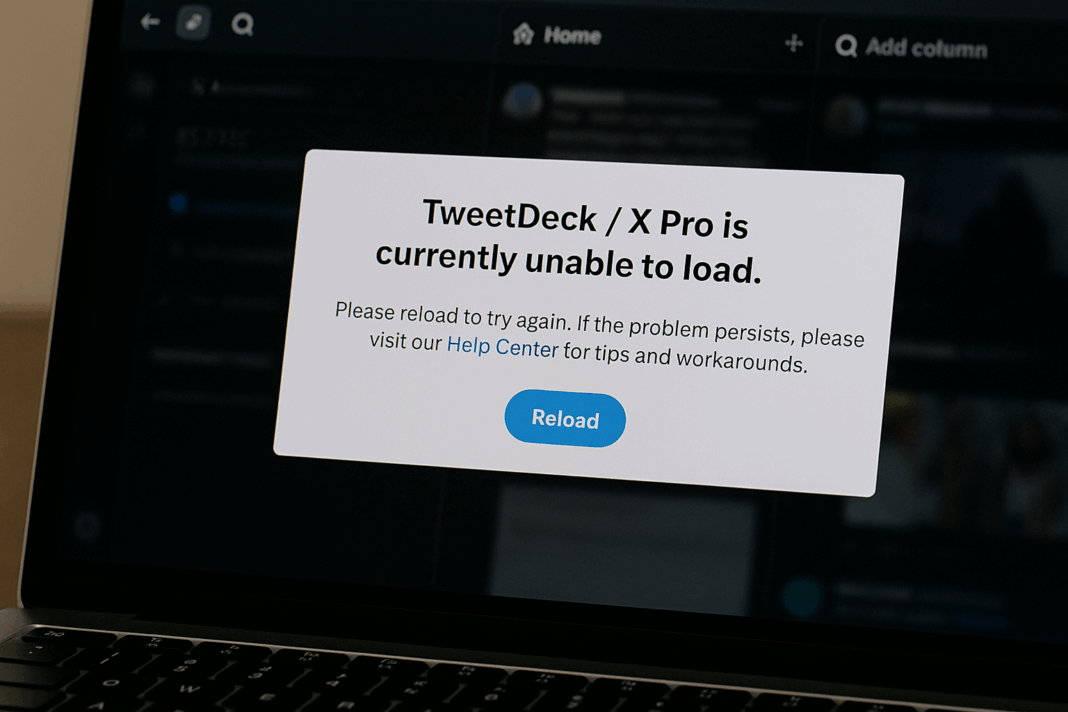


🚨 TweetDeck/X Pro Won’t Open? Here’s How to Fix Session, Cookies, Columns & API Issues
Picture this: You’re ready to manage your Twitter (now X) empire, but TweetDeck refuses to cooperate. The screen stays blank, columns disappear, or you’re stuck in login limbo. 😤 Before you rage-quit social media entirely, try these proven fixes I’ve collected from hours of troubleshooting and community wisdom.
🔍 Why TweetDeck/X Pro Stops Working
The platform’s 2023 transition to X brought major architectural changes that broke many TweetDeck features. Here are the most common culprits:

- 🔄 Session conflicts between old Twitter auth and new X systems
- 🍪 Cookie permission blocks from browser updates
- 📊 Column data corruption from API changes
- ⚡ Rate limiting on legacy API endpoints
💻 Browser-Specific Fixes That Actually Work
| Issue | Chrome/Firefox Fix | Edge/Safari Fix |
|---|---|---|
| Blank screen | Clear site data for tweetdeck.twitter.com |
Disable Prevent cross-site tracking |
| Login loop | Revoke app permissions at X Connected Apps | Try private/incognito mode first |
| Missing columns | Export/import columns via More → Share column setup |
Manually recreate columns (sadly) |
🧰 The Ultimate Troubleshooting Toolkit
1. The Nuclear Cookie Reset
When my TweetDeck suddenly showed a “Something went wrong” message last month, this saved me:
- Go to
chrome://settings/siteData - Search for “tweetdeck” and “twitter”
- Click the trash icon for ALL entries
- Restart browser
2. The Column Resurrection Ritual
If your carefully curated columns vanish after an update:
1. Press F12 → Application tab
2. Find Local Storage → tweetdeck.twitter.com
3. Look for "columns" key
4. Copy JSON data to backup
5. Delete corrupt entries

3. Bypassing API Limits
Power users hitting rate limits should:
- Reduce refresh intervals to 60+ seconds
- Remove unused columns
- Switch to X Pro for higher limits
🤔 TweetDeck vs. X Pro: What’s the Difference Now?
Since Elon Musk’s rebranding, here’s how the platforms compare:
┌──────────────────┬───────────────────────┐
│   Classic        │       X Pro           │
│   TweetDeck      │                       │
├──────────────────┼───────────────────────┤
│ Free             │ $8/month (Blue)       │
│ Legacy API       │ New X API             │
│ 5 account limit  │ 10+ accounts          │
│ No support       │ Priority troubleshooting│
└──────────────────┴───────────────────────┘
💡 Pro Tips From a TweetDeck Veteran
“I’ve used TweetDeck daily since 2014. The secret sauce? Always keep a column backup extension installed, and never trust X’s servers to remember your setup.” — @SocialMediaPowerUser
🚑 When All Else Fails…
If you’ve tried everything and TweetDeck still won’t budge:
- Check Downdetector for X outages
- Try alternative clients like Hootsuite or Buffer
- Wait 24 hours (seriously – many glitches resolve themselves)

🔮 The Future of TweetDeck/X Pro
With X’s chaotic development cycle, expect more breaking changes. Bookmark X’s official TweetDeck docs and follow @TweetDeck for updates.

Final thought: Managing social media shouldn’t feel like defusing a bomb 💣. But until platforms stabilize, these fixes should keep your workflow intact. Which solution worked for you? Let me know in the comments!

You should also read these…
- toojet.com – twitter x content sharing restricted age verificat
- tugmen.com – twitter x restricted country content warnings regi
- spyfrogs.com – industrial packaging with durfoam protecting goods
- axtly.com – thermal sound and moisture insulation at home durf
- axtly.com – what is the instagram map feature and how to enabl
- getaluck.com – replies have low visibility on twitter x thread pi
- axtly.com – twitter x ad account suspended policy review and a
- noepic.com – unknown benefits of polyethylene foams
- axtly.com – tiktok your account has been permanently banned er
- closedad.com – my tiktok video was unfairly removed what to do